DiLand Upgrade to Diland Creative
PVPR: 181,50€ IVA incl.
Extension to “Creative Content” for photo kiosk software:
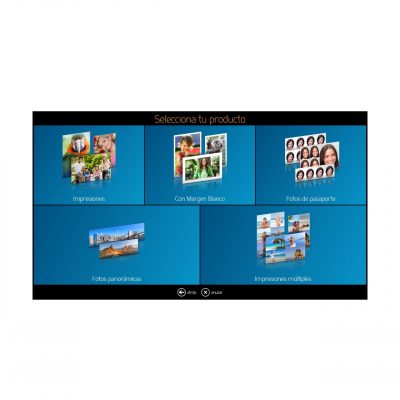
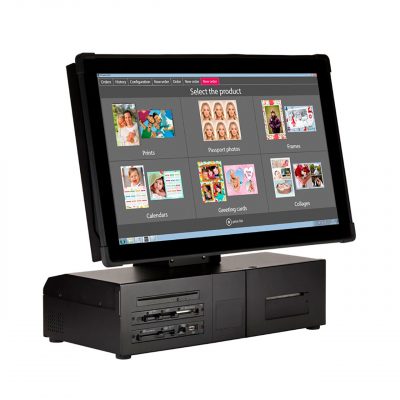
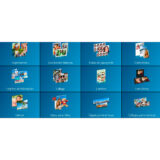
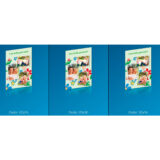
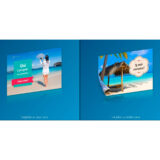
With this extension the software will display Calendars, Collages, cards, etc.
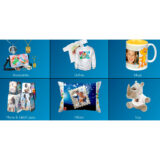
As for the product customization section (mugs, canvas, cushions, etc.), the software is prepared to create these products, and although some are created as examples, this is the responsibility of the license buyer. The user support of this extension is limited to the basic products (Calendars, Collages, Cards and Posters) and in no case AP PHOTO will create customized products to the license buyer, nor will it provide icons, templates, images or any creative element for this purpose.
IMPORTANT: Before purchasing this product, try it by downloading the demo version below.
This extension cannot work if you do not have a license for either of the two aforementioned softwares.
The extension is done telematically with an activation code, it is not necessary to send hardwares. Contact us if you want to buy this license.
Código AP: DIL800401 |
SKU: |
EAN:
Out of stock
¿Eres profesional del sector?
Accede a tarifas de distribuidor desde 1 unidad y descuentos exclusivos por volumen.
DIL800401 Software – Diland Upgrade to Diland CREATIVE
Extension to “Creative Content” for photo kiosk software:
With this extension the software will display Calendars, Collages, cards, etc.
The extension is done telematically with an activation code, it is not necessary to send hardwares.
Contact us if you want to buy this license.
This extension will not work if you do not have a license for the two aforementioned softwares.
Consult user support conditions in case of being installed for printers not supplied by AP PHOTO or not being a regular customer of consumables.
SOFTWARE in DEMO mode:
To try the Diland + Creative Content software before you buy it, you can download a full demo version at the following link
(If you already have a Diland Standard version, do not install it on the same computer, it may alter the existing configuration, try it on a different computer or consult with us):
Once you run the software installer, either the demo or the final installer, it creates a DiLand Kiosk 2 icon on your desktop.
The first time you run the software it will ask you some usage questions and this will complete the installation.
Once the software is running you can enter the configuration section by pressing the ESC key on the keyboard or by touching in sequence first the bottom left corner and then the bottom right corner of the screen.
To minimize the software press F12.
For the correct functioning of the software, Windows must have Microsoft .NET Framework 4 Full Package installed. In case of missing .net framework, a warning message will be displayed during the installation of DiLand Kiosk 2.
Download link .NET Framework 4: