

DiLand Kiosk Standard Software
RRP:726,00€ IVA incl.
- Intuitive and easy to use.
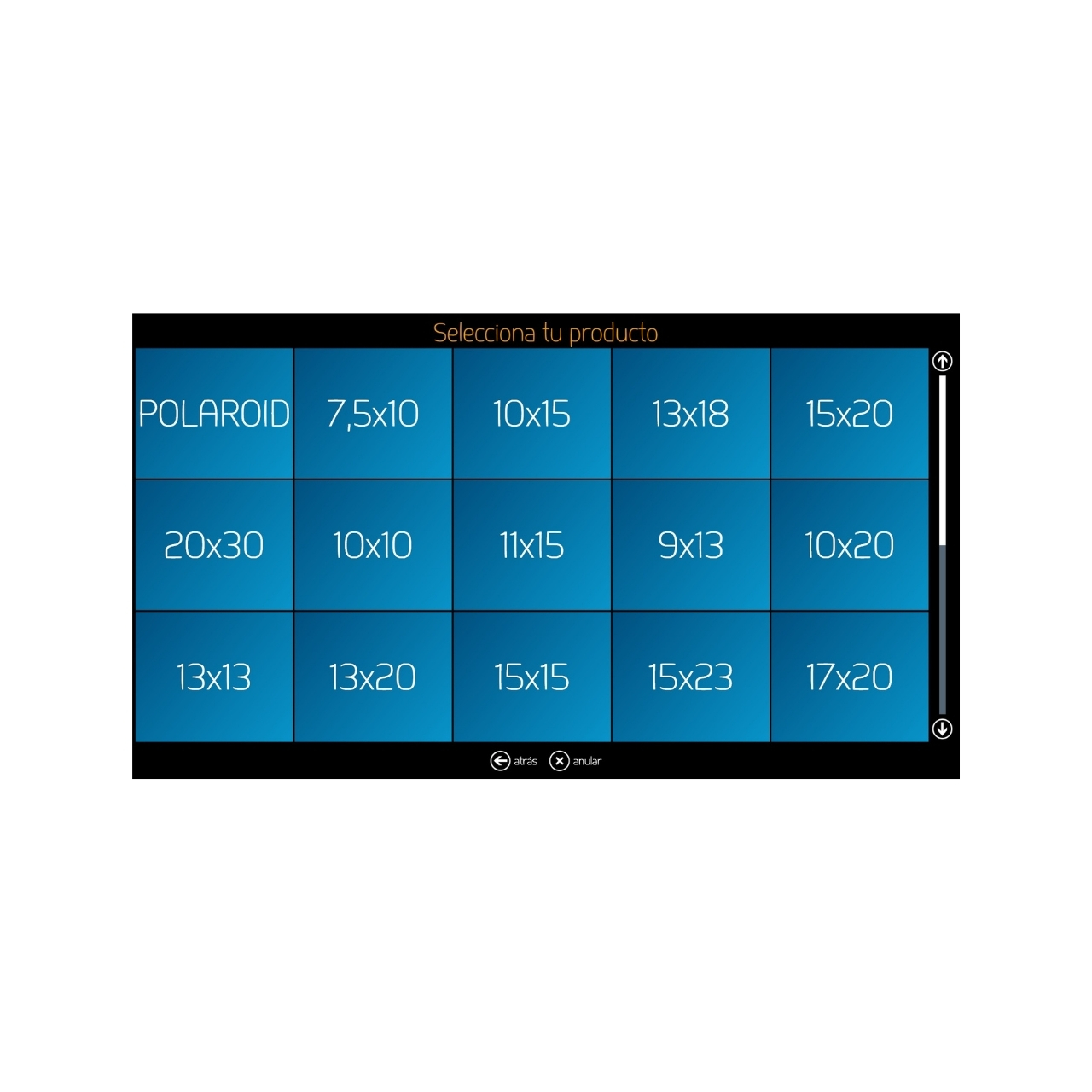
- Printing, passport photo and international passport functions, printing with white margin, writing images to CD/DVD/USB, image editing and cropping, etc.
- A huge range of print sizes.
- The software can receive photos to print from pen drives or cards, Bluetooth, phone cables, Wi-Fi with app, direct Wi-Fi without app, social media, WhatsApp…*
- Prices per product, with ranges, and prices per service.
Código AP: DIL800400 |
SKU: XSWDL2 |
EAN:
Out of stock
¿Eres profesional del sector?
Accede a tarifas de distribuidor desde 1 unidad y descuentos exclusivos por volumen.
INCLUDES:
- Prints
- Prints with white border
- ID photos (templates can be created)
- International passports
- Panoramic prints
MISCELLANEOUS:
The software is “owned” through a licence that is enabled with the supplied USB dongle.
For the Diland Kiosk Standard software to display images sent via Bluetooth, phone cable, cards, pen drives, Wi-Fi, etc., these devices must work correctly with Windows; otherwise, the Diland software will not be able to use them for this purpose.
Diland Standard + EPSON printer pack:
In this case, it includes remote user support: set-up, queries, configuration, etc. Contact us and we will help you choose the best system for the way you work.
Option to have an order hub (or workstation) to manage, with the printers, the orders received from the kiosks.
*OPERATING SYSTEM REQUIREMENTS
DiLand Kiosk can be installed on Windows Win 7, Win 8 and Windows 10.
Compatible with touch screens.
DOWNLOAD THE DILAND STANDARD DEMO VERSION + CREATIVE CONTENT UPGRADE
Download and install the demo version from the following link:
http://server.fiteng.net/
This installer creates a DiLand Kiosk 2 icon on your desktop.
The first time you run the software from the desktop icon, the installation will be completed.
(If the installation cannot be completed, you may not have Microsoft .NET Framework 4 Full Package installed on your computer. In that case, download and install the software:
http://www.microsoft.com/
To enter the DiLand Kiosk configuration menu, press ESC on the keyboard or touch the bottom left corner of the screen and then the bottom right corner of the screen.
To minimise the software while it is open, press the F12 key.
Once installed, it will first ask you about basic configuration aspects, such as whether it is a touch screen, whether you want it to start automatically when the computer is switched on, etc. The default configuration that appears the first time you use the demo version of the software is only one of many possible configurations and is representative only of the main features of the Diland software.
The features of the DEMO software are almost the same as the full version. The main limitation is a “Printed by DiLand Kiosk” watermark applied to all printed images because the Diland licence has not been purchased.
Option to extend the licence to include other creative content such as Calendars, Collages, Posters, etc. (LINK to DIL800401 Software – Diland Upgrade to Diland CREATIVE)
In the Diland Upgrade to Diland Creative section, you can try the software by downloading a demo version that also includes the “creative content” upgrade.
Compatible with most photo printers on the market, both thermal sublimation and inkjet, either directly or through the printer driver.
Please ask about user support conditions if the software is installed for printers not supplied by AP PHOTO or if you are not a regular consumables customer.
For more information or purchasing advice, contact us:
* The software is not supplied with the physical items mentioned. To use certain options, the computer on which it is installed must already have items such as a network, Wi-Fi network, Bluetooth, Internet, etc. configured and in use.
Images can be sent via Wi-Fi from smartphones only.