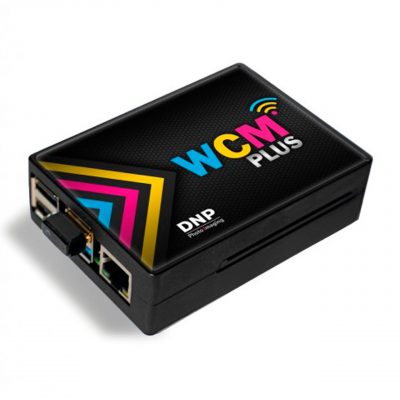
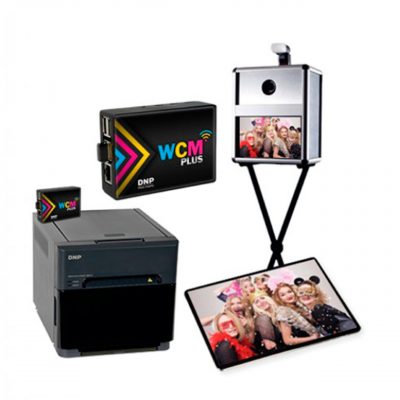
Mobiprint Kit Wi-Fi System for Downloading Images from a Mobile Phone
RRP:194,00€ IVA incl.
With Mobiprint you can transfer selected images from a smartphone to a folder accessible from Windows or MAC, giving all computers on the same network access to the photos. With no apps, no cables and no need for an internet connection, you can send images directly via the Wi-Fi network generated by Mobiprint itself.
Código AP: MBP100000 |
SKU: |
EAN:
Out of stock
¿Eres profesional del sector?
Accede a tarifas de distribuidor desde 1 unidad y descuentos exclusivos por volumen.
Contents:
- Mobiprint CPU
- 220V to 5V power adapter with micro USB connector
- Mobiprint Wi-Fi antenna
- 16GB pen drive.
Easy set-up:
Connect it to the mains using the power adapter.
Using an Ethernet network cable (not supplied), connect it to the computer network at your premises.
After 1 minute, a Wi-Fi network called Mobiprint will be generated and it will be ready to receive images from any smartphone, whatever the brand and with any operating system (iOS, Android).
The mobile phone does not need an internet connection, as Wi-Fi is used to transmit the images, and no software needs to be installed on the phone.
Follow these steps:
Once connected, open the phone’s web browser and type the IP address 10.10.0.1 into it, then press enter. Instructions for selecting and sending files will appear on the phone screen.
The system is limited to transferring image files.
Once the images have been sent, you can access them either through your computer’s file explorer or by using the supplied pen drive, which is where the files are stored.
This pen drive can be disconnected from the Mobiprint device and connected
to any computer to browse the files and print them if required, but please see the user manual included with Mobiprint for details of the procedure.